
Signia hearing aid accessories
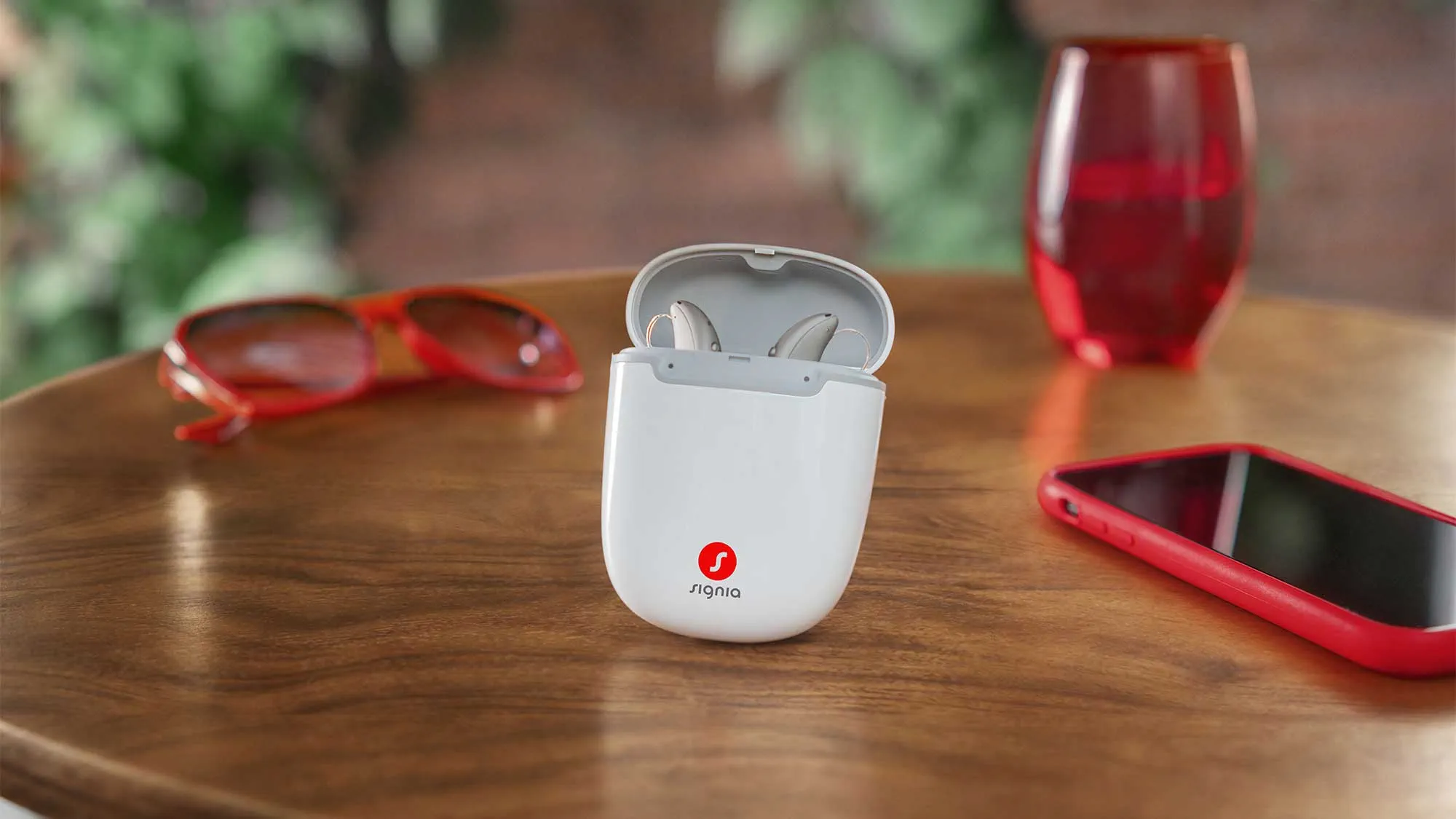
Signia hearing aid replacement parts
Over time, certain hearing aid components may need to be cleaned or replaced to maintain comfort and sound quality. Common Signia hearing aid replacement parts and accessories include:
- Batteries: Power compatible hearing aids that use disposable batteries.
- Chargers: Recharge compatible Signia hearing aids.
- Domes: Soft earpieces that help provide a comfortable and secure fit.
- Filters and wax guards: Help protect hearing aid components from earwax and debris.
- Receivers: Deliver sound into the ear in compatible hearing aid models.
- Tubes: Connect the hearing aid to the earpiece in certain behind-the-ear models.
Not all Signia accessories are compatible with every hearing aid model. Check your device's user manual or consult a hearing care professional before purchasing or replacing parts. Some components, including rechargeable batteries and certain receivers, may require professional service.
Changing batteries in Signia hearing aids
How to change Signia hearing aid batteries
- Prepare the new battery
Before you begin, have the new battery ready.
It’s usually type 10, 312, 13, or 675 zinc-air battery, identifiable by color-coded stickers.
- Open the battery compartment
Locate the battery door on your hearing aid.
This is typically found at the bottom of behind-the-ear (BTE) models and at the side or bottom of in-the-ear (ITE) models.
Use your fingernail or a small tool (some hearing aids come with a tool for this) to gently flip open the battery compartment.
- Remove the old battery
Take out the old battery.
Sometimes a small magnetic tool is provided with the hearing aids to make this easier, or you can gently shake the hearing aid to let the battery fall out.
- Insert the new battery
Remove the sticker from the new battery to activate it. Air activates the zinc in the battery, beginning its life.
Wait about one minute after removing the sticker before inserting the battery; this ensures the battery is fully activated.
Place the new battery into the compartment. Make sure the flat side (positive side) is facing up.
- Close the battery compartment
Carefully close the battery door.
You should hear a click or see that it sits flush against the hearing aid body, indicating it is locked in place.
Changing batteries in receiver-in-canal and behind-the-ear hearing aids — video instruction
How to change batteries for Signia in-the-ear hearing aids — video instruction

Need help?
Longevity of zinc and li-on batteries
How long do Signia hearing aid batteries last
Non-rechargeable batteries typically last 5-14 days, depending on usage and hearing aid type.
Here are general guidelines based on battery size:
- Size 10 (Yellow): Typically lasts about 2-5 days.
- Size 312 (Brown): Usually lasts about 4-7 days.
- Size 13 (Orange): Often lasts about 5-10 days.
- Size 675 (Blue): Can last about 5-10 days.
Rechargeable Signia hearing aids, which use lithium-ion batteries, can last a full day (up to 24 hours) on a single charge with normal wear, which can include some streaming.
These rechargeable batteries themselves typically last for several years before they might need replacing, depending on usage and charging habits. However, the exact battery life depends on the specific model, streaming duration, and individual hearing aid settings.
Replacement of Signia rechargeable batteries
Can rechargeable Signia hearing aid batteries be replaced?
Yes, rechargeable batteries in many Signia hearing aids can be replaced, but the replacement generally needs to be performed by an authorized service professional. Unlike disposable hearing aid batteries, rechargeable batteries are typically built into the device and are not designed for users to remove at home.
If your Signia hearing aids no longer hold a charge or the battery life has become noticeably shorter, contact your hearing care professional. They can check whether the issue is related to the battery, charger or charging contacts and advise whether battery replacement or another service is needed.
Avoid opening your hearing aids or attempting to replace a built-in rechargeable battery yourself, as this may damage the device.
Charging Signia chargers
How to charge Signia chargers?
Identify the charger type: Determine if you are using a standard charger, a portable charger, or a charger case for your Signia hearing aids.
- Connect the charger to power
Locate the power cable that came with your charger.
Connect one end of the power cable to the charger and the other end to a suitable power outlet.
Some chargers may use a USB cable that can be plugged into a computer or a USB wall adapter.
- Verify connection
Most Signia chargers will have an indicator light that turns on or changes color when connected to power and is charging correctly.
Check the user manual for specific indicators for your model, as the light may blink or stay steady to indicate charging status.
- Charging the hearing aids
While the charger itself does not hold a charge and needs to be connected to power to function, some models come with built-in batteries that can be charged and used to charge the hearing aids several times without plugging in.
For these models:
Charge the charger until it is fully charged, which is usually indicated by a change in the indicator light (from blinking to steady or changing color).
You can then use the charger to charge your hearing aids multiple times on the go.
- Maintenance
Keep the charger clean and free of debris to ensure good contact with the hearing aids.
Avoid overcharging by unplugging the charger once it and the hearing aids are fully charged, if applicable.
How to charge the Signia Styletto IX charger — video instructions
How to charge the Signia Styletto AX charger — video instruction
How to charge the Signia Styletto X charger — video instruction
How to charge the Signia Active charger — video instruction
How to charge the Signia Silk charger — video instruction
How to charge the Signia Pure charger — video instruction
Cleaning Signia chargers
How to clean a Signia hearing aid charger
Follow these steps to clean your Signia hearing aid charger :
- Unplug the charger
Ensure safety by disconnecting the charger from the power source.
- Use a dry cloth
Gently wipe the exterior with a dry, soft cloth. Avoid using water or liquids.
- Remove debris
For any debris in the ports, use a dry, soft brush or a can of compressed air to gently clear the openings.
- Regular maintenance
Regular cleaning ensures optimal contact between the charger and the hearing aids.
Problem with charging
Why is my Signia hearing aid not charging?
If your Signia hearing aid is not charging, the issue may be related to the power supply, charging contacts, charger or hearing aid itself. Before seeking professional assistance, try these troubleshooting steps:
1. Check the power source
Make sure the charger is connected to a working power outlet using a compatible power adapter and cable.
2. Check the hearing aid placement
Confirm that each hearing aid is positioned correctly in its designated charging slot.
3. Inspect the charging contacts
Look for dirt, earwax or debris that could interfere with charging. Follow your model's cleaning instructions.
4. Check the charging indicator lights
Review your charger's user manual to understand what the light colors and patterns mean.
5. Restart the charging process
If your charger's instructions permit it, disconnect and reconnect the power supply, then try charging again
If your Signia hearing aids still do not charge, contact a hearing care professional. The charger or rechargeable battery may need further inspection or service.
Signia charger is blinking
What do the Signia hearing aid charger indicator lights mean?
Signia hearing aid chargers use indicator lights to communicate charging status and potential issues. The meaning of each light depends on the charger model, so it's important to check the instructions for your specific device.
- Charging status: Indicator lights may show when your hearing aids are charging.
- Fully charged: Some chargers display a different light pattern when charging is complete.
- Blinking or flashing lights: Depending on the charger, flashing lights may indicate normal charging activity or a problem requiring attention.
- Error indicators: Certain colors or flashing patterns may signal a charging issue.
If your charger displays an unfamiliar light pattern, consult the user manual for your specific Signia charger. If the problem continues, contact your hearing care professional for assistance.
Changing Signia hearing aids domes
How to change Signia hearing aid domes
Cleaning the Signia hearing aids domes
How to clean Signia hearing aid domes
-
Remove the dome
Detach the dome from the hearing aid to ensure thorough cleaning.
- Clean gently
Use a soft, dry cloth or brush to clean the dome.
Avoid using water or cleaning fluids unless specified by Signia that it’s safe for your specific model.
- Reattach the dome
Once clean and dry, reattach the dome to the hearing aid receiver.
Signia hearing aids dome size
How to determine Signia hearing aid dome size
- Check existing packaging
If you have the original packaging or documents, they may list the dome size.
- Measure the diameter
Use a ruler or a measuring tape to measure the diameter of the dome at its widest part.
- Consult a hearing care professional
If in doubt, consult your audiologist or hearing aid provider who can measure and recommend the appropriate size dome for your hearing needs and comfort.
Note: Please ensure that both the size and venting match the configuration that the HCP last fitted on the hearing aids.
Frequency of replacement Signia's domes
How often should Signia hearing aid domes be replaced
General recommendation
It is typically recommended to replace hearing aid domes every 3-6 months or sooner if they become stiff, discolored, or damaged.
Based on usage
Frequent users or those in more dusty or dirty environments might need to replace domes more often to ensure optimal hearing aid performance and hygiene.
Regular maintenance and replacement of domes are crucial for the longevity and effectiveness of your hearing aids.
If you have any more questions or need specific details about your model, consulting the user manual or speaking with a hearing care professional can provide tailored advice.
Changing Signia filters
How to change Signia hearing aid filters
Signia hearing aid filters help protect your devices from earwax, moisture and debris that can affect sound quality. If your hearing aid sounds muffled, quieter than usual or appears blocked, the filter may need to be replaced.
The Signia hearing aid filter replacement process varies depending on the model and filter type. Always use a compatible replacement filter and follow the instructions provided for your hearing aid. Watch the videos below for guidance on changing filters in different Signia hearing aid styles.
How to change the filters on Signia receiver-in-canal hearing aids — video instruction
How to change filters on Signia in-the-ear hearing aids — video instruction
Frequency of replacement Signia filters
How often should Signia hearing aid filters be replaced?
Signia hearing aid filters should generally be replaced every month or sooner if you notice any buildup, or if the sound quality decreases.
Changing Signia wax guards
How to change Signia hearing aid wax guards
Take the removal tool (usually a small stick with a pin or a loop), insert it into the old wax guard, and pull it out gently.
2. Insert the new wax guard
Use the other end of the tool which has a new wax guard attached, align it with the earpiece, and push it into place until it is secure.
How to change the wax guards on Signia Active Pro IX — video instruction
How to change the wax guards on a mini receiver — video instruction
How to change the wax guards on Signia Insio IX — video instruction
How to change the wax guards on Signia receiver-in-canal hearing aids — video instruction
Frequency of replacing wax guards
How often should Signia hearing aid wax guards be replaced?
- Replace the wax guards every 2 weeks or more frequently if there is visible wax accumulation, or if you experience any diminishment in sound quality.
- Maintaining the filters and wax guards of your hearing aids is crucial for their performance and longevity.
- Regular replacements prevent wax and debris from damaging the internal components of the hearing aids, ensuring optimal sound clarity and function.
- Always have a spare set of filters and wax guards on hand, and follow the specific guidelines provided by Signia for your hearing aid model.
Changing Signia hearing aids receivers
How to change Signia hearing aid receivers
How to change Signia hearing aid receivers:
- Disconnect the receiver
Carefully disconnect the receiver from the hearing aid. This might involve gently pulling it away from the main body, sometimes aided by a small tool provided by Signia.
- Connect the new receiver
Align the new receiver correctly with the connector and gently push it in until it clicks into place, ensuring it is securely connected.
Longevity of Signia receivers
How long do Signia hearing aid receivers last?
- Signia hearing aid receivers typically last between 12 to 18 months, depending on use and care.
- Regular maintenance and avoiding moisture and wax buildup can extend their life.
Changing Signia tubes
How to change Signia hearing aid tubes
- Remove the old tube
Detach the tube from the hearing aid and the earmold or dome. This usually involves gently pulling the tube from the earmold and the hook on the hearing aid.
- Attach the new tube
Insert the new tube onto the earmold first, then attach the other end to the hook on the hearing aid. Ensure it fits snugly and securely.
Cleaning Signia hearing aid tube
How to clean Signia hearing aid tubes
- Remove the tube
Detach the tube from both the hearing aid and the earmold.
- Clean
Use a soft brush or a specialized hearing aid cleaning tool to clear any debris or wax from the tube.
For deeper cleaning, use a blower tool to push air through the tube and dislodge any blockage.
- Reattach
Once the tube is clean and dry, reconnect it to the hearing aid and earmold.
Frequency of replacing Signia hearing aids tubes
How often should Signia hearing aid tubes be replaced?
- Tubes should be replaced every 3 to 6 months, or sooner if they become stiff, discolored, or there is noticeable reduction in sound quality.
- Regular replacement ensures optimal hearing aid performance and hygiene.
- Maintaining these components of your hearing aids not only ensures optimal performance but also extends the lifespan of the devices.
- Regular check-ups with a hearing care professional can also help maintain your hearing aids in top condition.

Need more information?
Get in touch

Schedule a callback